总结
这很重要。因为能帮你在本地使用Vscode调试远程服务器上的代码。
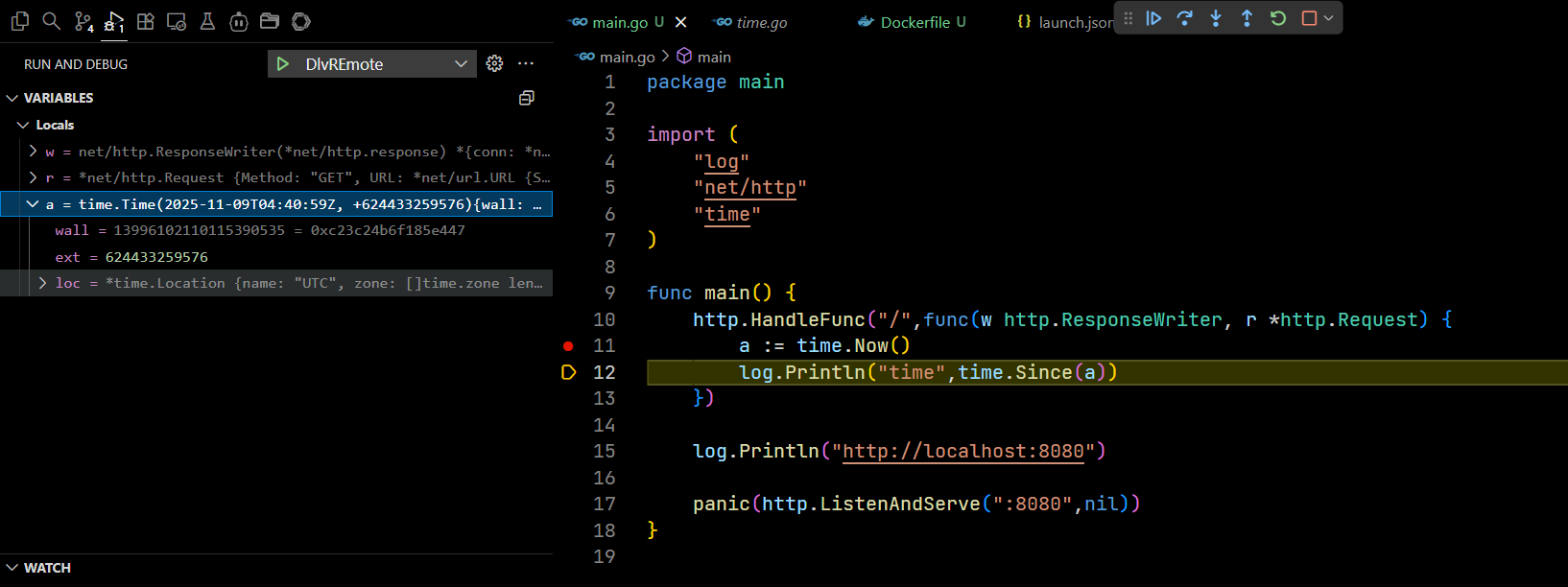
实验环境
FROM alpine:latest

# Switch to TUNA mirror for Alpine packages
RUN sed -i 's#https\?://dl-cdn.alpinelinux.org/alpine#https://mirrors.tuna.tsinghua.edu.cn/alpine#g' /etc/apk/repositories

# Install Go and other necessary packages
RUN apk update && apk add --no-cache \
    go \
    git

# Configure Go environment
ENV GOPROXY=https://goproxy.cn,direct

# Install delve (dlv)
RUN go install github.com/go-delve/delve/cmd/dlv@latest

# Add dlv to PATH
ENV PATH=$PATH:/root/go/bin

# Verify installations
RUN go version && which dlv
注意:请保持调试环境中安装dlv的go版本,与编译的go二进制版本,保持一致,如果不一致,将无法调试
dlv --listen=:22345 --headless=true --api-version=2 --accept-multiclient exec ./prac_dlv
API server listening at: [::]:22345
2025-11-09T04:26:11Z warn layer=rpc Listening for remote connections (connections are not authenticated nor encrypted)
To debug executables using DWARFv5 or later Delve must be built with Go version 1.25.0 or later
调试代码
main.go
将断点设置在 a := time.Now() 这一行
package main

import (
    "log"
    "net/http"
    "time"
)

func main() {
    http.HandleFunc("/",func(w http.ResponseWriter, r *http.Request) {
        a := time.Now()
        log.Println("time",time.Since(a))
    })

    log.Println("http://localhost:8080")

    panic(http.ListenAndServe(":8080",nil))
}
编译命令
CGO_ENABLED=0 go build -gcflags "-N -l"
如果不添加 -gcflags "-N -l" ,那么你的调试栈将没有信息。
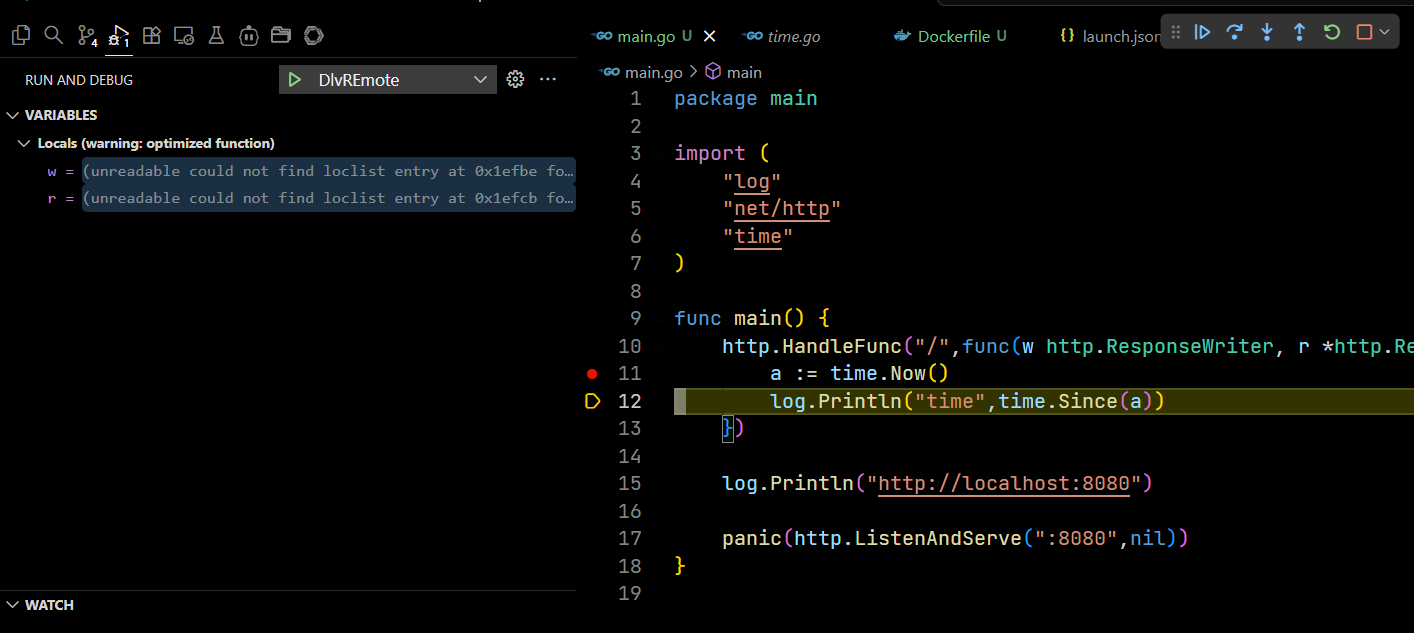
添加,将有详细调试栈信息
运行镜像
docker run -it -p 8080:8080 -p 22345:22345 alpine-go-dlv
dlv运行
将下面的 替换成你的刚二进制可执行文件
dlv --listen=:22345 --headless=true --api-version=2 --accept-multiclient exec <your_go_bin>
vscode 配置
在你的工作目录下建立 .vscode/launch.json
{
    // Use IntelliSense to learn about possible attributes.
    // Hover to view descriptions of existing attributes.
    // For more information, visit: https://go.microsoft.com/fwlink/?linkid=830387
    "version": "0.2.0",
    "configurations": [
        {
            "name": "DlvREmote",
            "type": "go",
            "request": "attach",
            "mode": "remote",
            "remotePath": "${workspaceFolder}",
            "port": 22345,
            "host": "127.0.0.1"
        }
    ]
}